Exclude Players from Solving
Your starting XI and your investments should never end up inside an SBC by accident. Exclude marks any player as off-limits — the solver treats them as if they don't exist, across single solves, batch, set and repeat runs.

The problem this solves
Most of the cards in your club are fodder and you do not care what happens to them. A handful are not. The centre-back you actually play with, the card you are holding because the price is climbing, the one you got from a pack you will never open again — those are the ones you notice missing, usually after they have already gone into a challenge.
Rating caps and card-type filters catch most of this. They do not catch the specific plain gold you happen to care about, because nothing about that card marks it as special. That is what the exclude list is for.
Excluding a player
Every player card carries an Exclude action. One tap and that player is off the table. There is no separate settings page to visit and no list to maintain by hand — you protect the card at the moment you notice it, which is usually the moment you are looking at it.
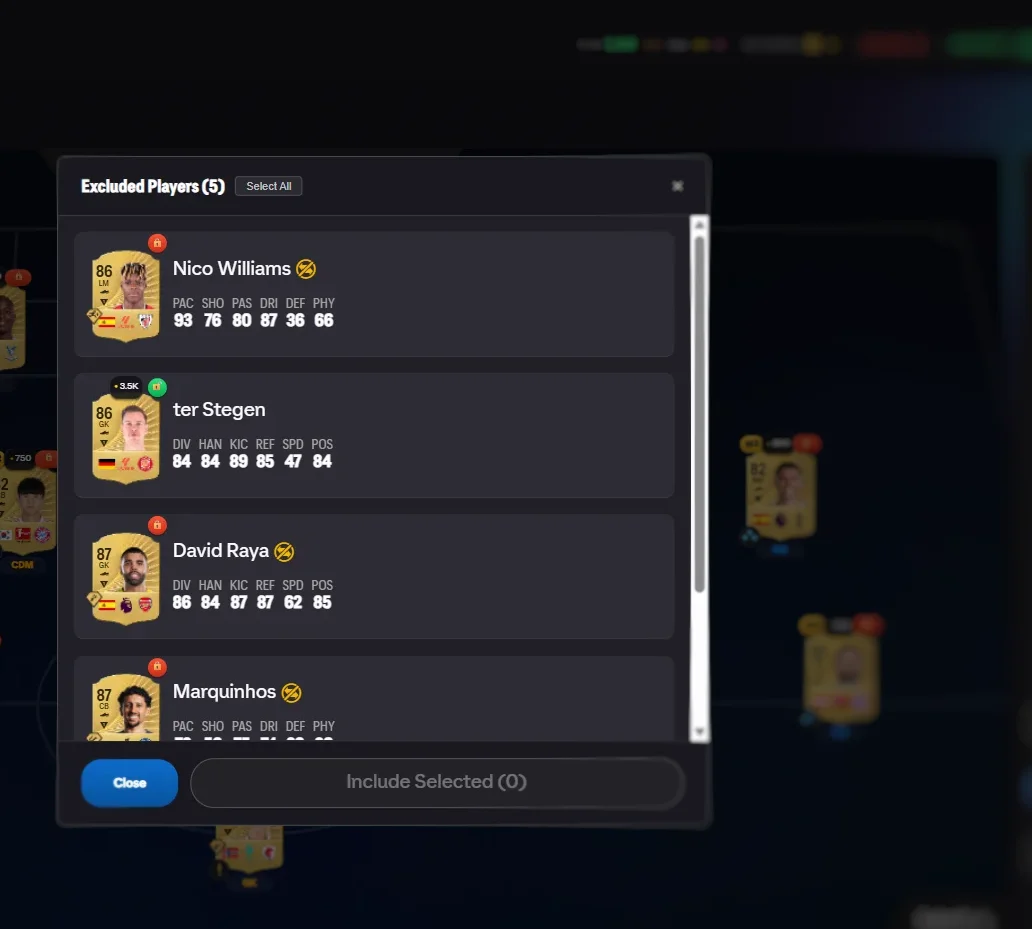
The club widget badge opens the full list, showing everyone currently protected. From there you can review what you have accumulated and un-exclude in bulk, which is worth doing occasionally as your club changes and cards you once cared about become fodder like everything else.
Fixing a squad you do not like
This is where the feature earns its place. After a solve, every placed card on the pitch has its own exclude button. If the squad is fine except for one player you would rather keep, exclude that card and solve again — only that slot changes. The other ten stay exactly as they were.
It turns solving from something you accept or reject wholesale into something you can adjust. Two or three of these and the squad is what you wanted, without having filled anything by hand.
How it interacts with the other filters
Exclusions sit on top of everything else rather than replacing it:
- Card type toggles already keep special, TOTW and evolved cards out unless you switch them on. Exclusions handle the individual cards those toggles cannot know about.
- The maximum rating cap stops the solver reaching too high in general. Exclusions handle specific cards regardless of rating.
- Batch, set and repeat solving all honour the same list. You do not re-protect anything when you move from a single challenge to a whole set.
If your exclusions make a challenge impossible, you are told so. The list is never quietly overridden to make a solve succeed.
Using it, step by step
- Exclude from any card. Every player card gets an Exclude action — one tap protects the player.
- Manage the list. The widget badge opens the exclusion list modal for review and bulk changes.
- Re-solve precisely. Exclude a placed player after a solve and Find Squad again — only that slot changes.
A habit worth forming
The cheapest time to exclude a card is the day you get it, not the day you lose it. When a card arrives that you know you want to keep, protect it then. It takes one tap and it removes an entire category of mistake from every future solve you run.
Frequently Asked Questions
Is excluding a player permanent?
It lasts until you remove them from the list. Exclusions carry across every solve you run — single, batch, set and repeat — so you set them once rather than remembering each time.
Do I need to exclude my special and evolved cards?
No. Special, TOTW and evolved cards are already excluded by default and only get used if you deliberately switch them on. The exclude list is for the cards those filters do not catch, such as a plain gold you happen to care about.
Can I exclude a player after the squad is already on the pitch?
Yes, and this is the most useful way to use it. Each placed card has an exclude button; press it and solve again, and only that slot changes. The rest of the squad stays as it was.
Does excluding a player hide them from my club?
No. Nothing about your club changes. The player stays exactly where they are and can still be used, sold or played with as normal. They are simply invisible to the solver.
What happens if I exclude so many players that a challenge cannot be solved?
You are told the challenge cannot be completed from what is left, rather than being given a squad that quietly ignores your exclusions. Your list is always respected.
See also: club-first solving, the SBC solver, and duplicate detection. Every feature is listed on the features overview.
Try FC Helper Free