Features
Everything FC Helper does in the EA FC web app
FC Helper adds SBC solving, Gallery set tracking, pack opening, card prices and selling tools to the EA FC Ultimate Team web app, each tagged Free or Premium. Free gives you 50 solves a day, every card badge, the Gallery and the Transfer List window. Premium adds unlimited solves, batch runs, Open all packs and the Gallery planner.
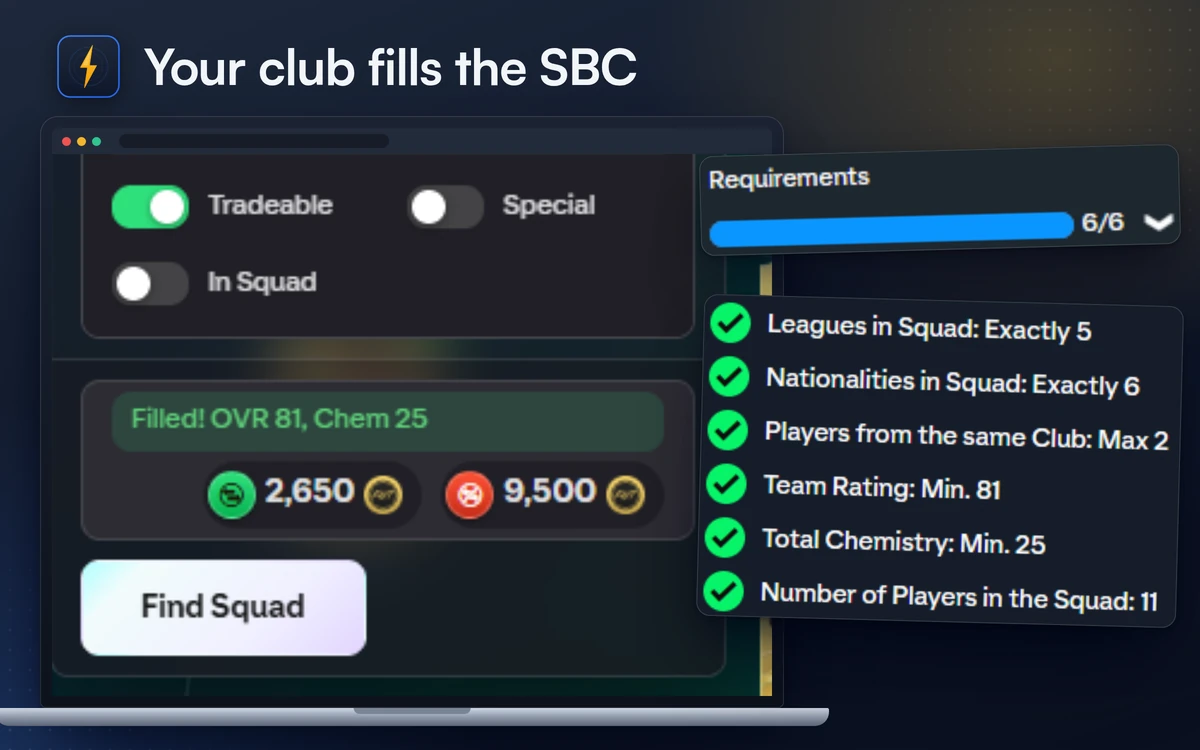
Solve SBCs
Solve SBCsFreeAuto complete any SBC: press Auto Complete, then Find Squad, and the SBC solver fills the pitch with the cheapest valid squad from your club.
- Open an SBC and press Auto Complete
- Choose your source and cards
- Press Find Squad
How it works
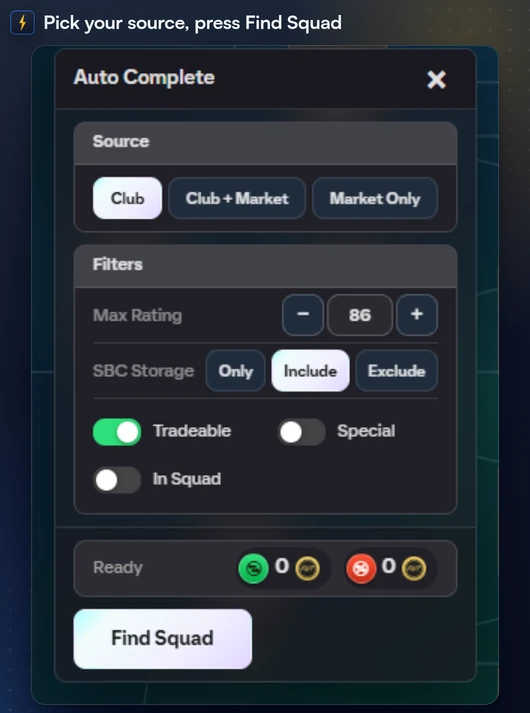
- Open an SBC and press Auto Complete The button sits at the top left of the pitch. It opens the FC Helper panel once your club has loaded.
- Choose your source and cards Club uses only what you own. Club + Market and Market Only add the transfer market. Set Max Rating and SBC Storage, and switch on Tradeable, Special or In Squad only if you want them used.
- Press Find Squad The cheapest valid squad lands on the pitch with its value shown. Check it, then press Submit yourself: a single solve never submits.
Good to know
- Free gives you 50 solves a day.
- Buy the players your club lacks from the panel. Premium Nothing is bought until you press Buy All and accept the warning.
- Not happy with one card? Exclude it on the pitch and press Find Squad again.
- If your club cannot cover the challenge, the panel says what is missing and what it would cost.
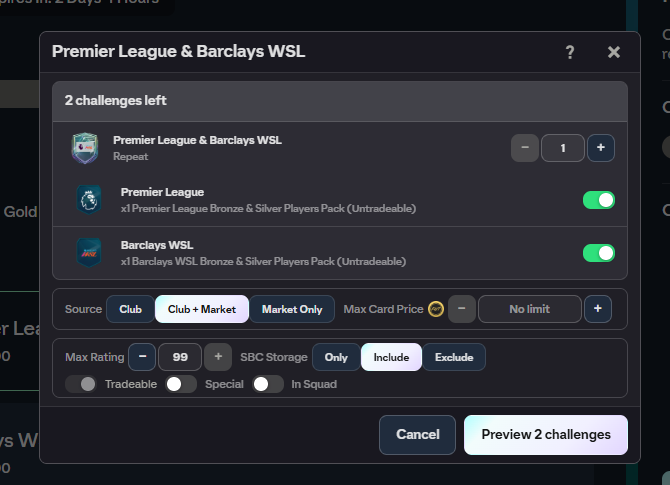
Repeat SolvePremiumRun a repeatable SBC as many times as you have spare cards.
- Open a repeatable SBC
- Set how many times
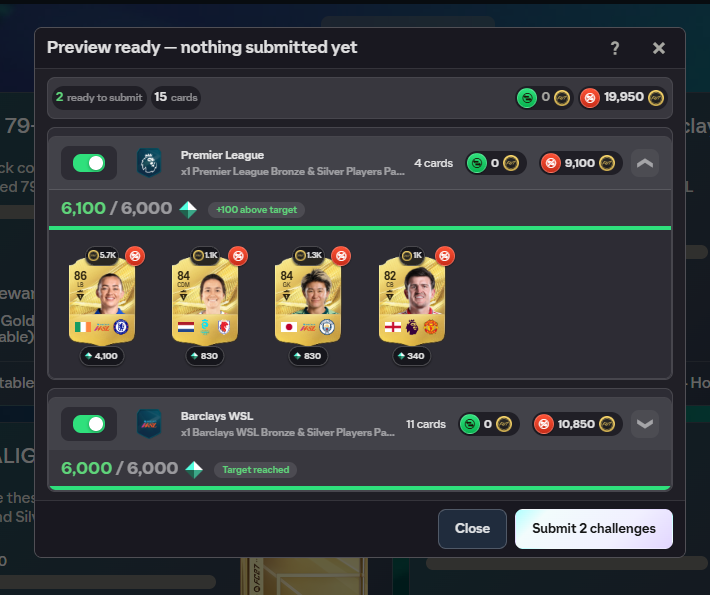
- Preview, then run
How it works
- Open a repeatable SBC Press Auto Complete. The repeat counter shows only on SBCs you can repeat.
- Set how many times Use the counter in the panel footer, up to what the challenge still allows.
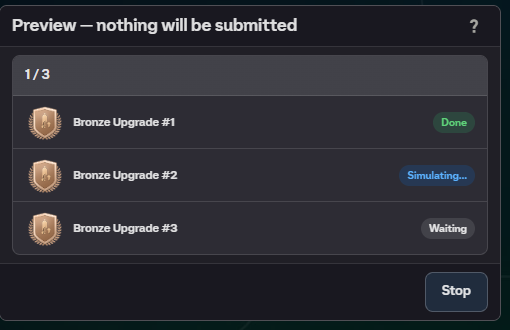
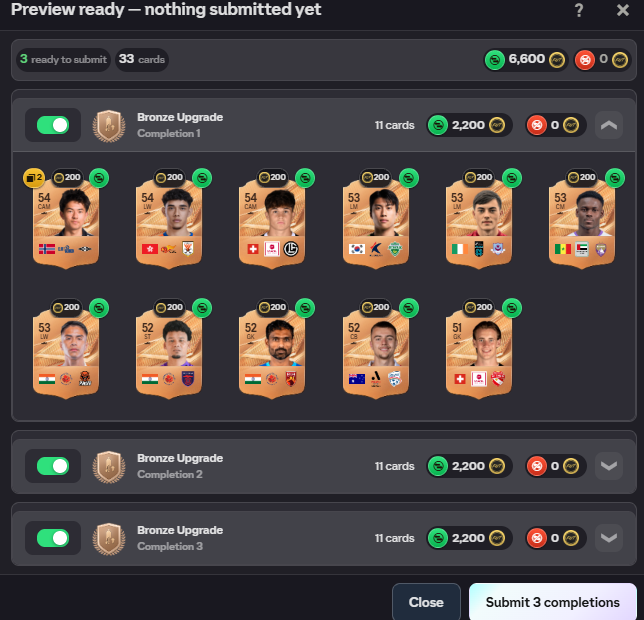
- Preview, then run Preview shows every squad first, then Submit these squads runs them. Find Squad runs them straight away, each round solved and submitted in turn.
This run submits. Batch, Set and Repeat submit every squad they fill, using your club only, so set Max Rating, the card switches and your exclusions before you start. A single solve leaves Submit to you.
Good to know
- Repeat uses your club only, never the market.
- The run ends early when your club cannot fill another round.
- The pack at the end is whatever the game gives: Repeat saves the clicking, not the odds.
Batch SolvePremiumTick the daily SBCs you want and let one supervised run finish them from your club.
- Press Batch Daily SBCs
- Pick dailies and options once
- Start and read the summary
How it works
- Press Batch Daily SBCs The button sits at the top of the SBC hub.
- Pick dailies and options once Choose the dailies and how many of each. Max Rating, SBC Storage and the card switches apply to the whole run. Preview shows the squads first.
- Start and read the summary Each challenge is solved and submitted in turn, and Stop ends the run. The summary lists what finished, and View cards shows every card used.
This run submits. Batch, Set and Repeat submit every squad they fill, using your club only, so set Max Rating, the card switches and your exclusions before you start. A single solve leaves Submit to you.
Good to know
- Batch uses your club only: it never searches or buys on the market.
- Three failures in a row stop the run by itself.
- If a run could spend cards you may value, a Heads up warning offers Use safer options first.
- Nothing runs while you are away: stay on the page until it ends.
Set SolvePremiumFinish every open challenge of an SBC set in one run.
- Press Solve All on the set
- Set your options once
- Start, then read what it used
How it works
- Press Solve All on the set The button shows how many challenges are left.
- Set your options once Max Rating, SBC Storage and the card switches apply to every challenge. A repeatable set adds a Repeat set count.
- Start, then read what it used Each open challenge is solved and submitted in order. The summary lists every card each one used.
This run submits. Batch, Set and Repeat submit every squad they fill, using your club only, so set Max Rating, the card switches and your exclusions before you start. A single solve leaves Submit to you.
Good to know
- Set uses your club only, never the market.
- Challenges you already finished are left alone.
- If your club runs out partway, the run stops and the finished challenges stay finished.
Streamlined SBCs
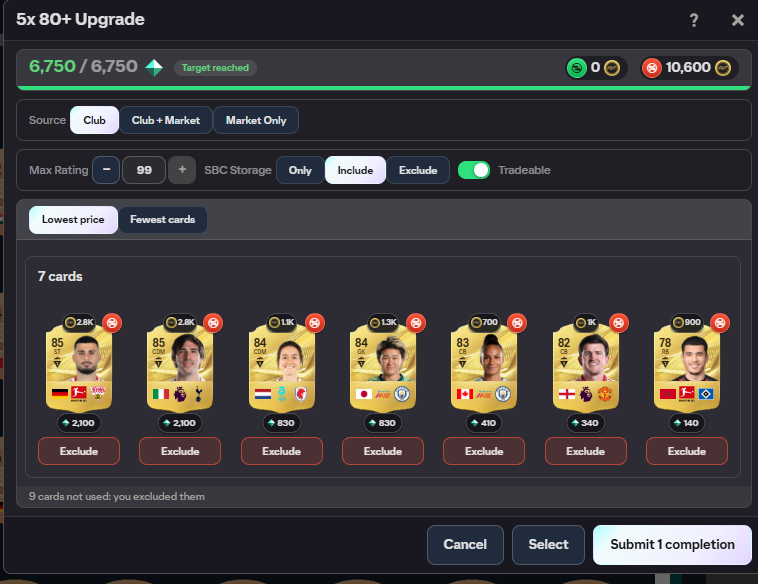
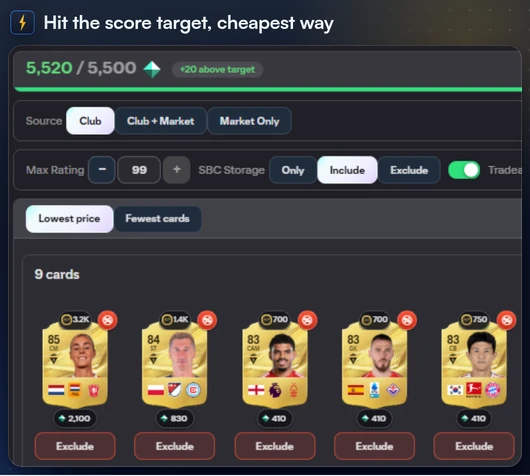
Score windowFreePremiumOn Streamlined SBCs, Auto Complete opens a window with your cards against the score to reach.
- Open the score window
- Pick Lowest price or Fewest cards
- Fill the score
How it works
- Open the score window On an SBC that asks for a total score, press Auto Complete. The window shows your cards against the score to reach.
- Pick Lowest price or Fewest cards This sets what the squad is built for.
- Fill the score Select what I have places your own cards. Find cards finds the rest under your Max Card Price.
Free and Premium
- Pick a goal, Select what I have and Find cards Free
- Buy the missing cards, repeat the challenge, preview each completion and submit it from the window Premium

Club bar
Your club, your Transfer List and your sets in one strip on Home, each a press away.
The club bar on Home
? buttonFreeReplay the tips for the screen you are on, one card at a time with Skip and Next.

Plan buttonFreeStart your 7-day free trial, see the days left, or open your plan.
Hide buttonFreeFold the club bar down to your club count, and open it again when you want it.
The Club window it opens
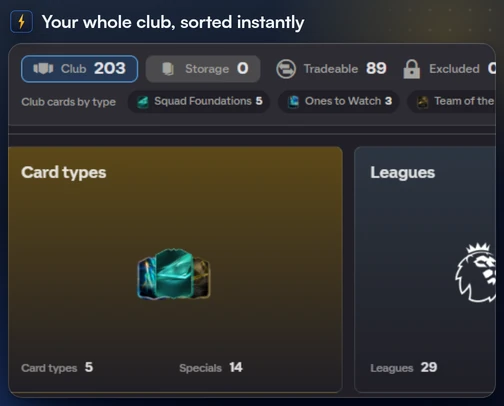
Club overviewFreeYour club, storage, tradeable and excluded counts at the top, with your cards counted by type.
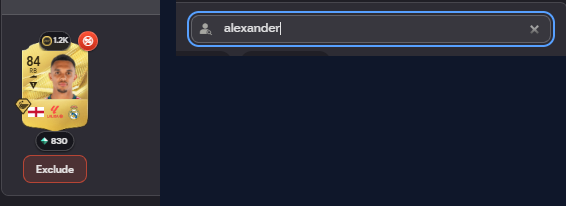
SearchFreeFind any card by player, league, club or nation.
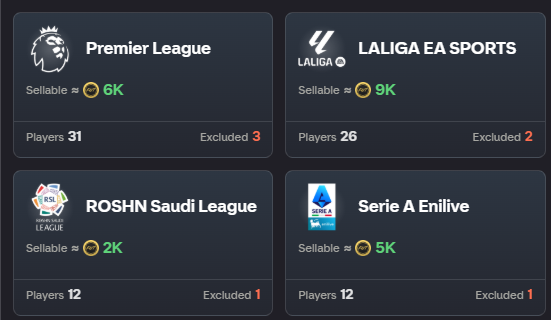
LeaguesPremiumYour club sorted by league, with the value of each one.
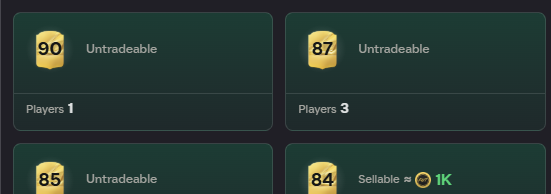
RatingsPremiumYour club sorted by rating, from your lowest card to your best.
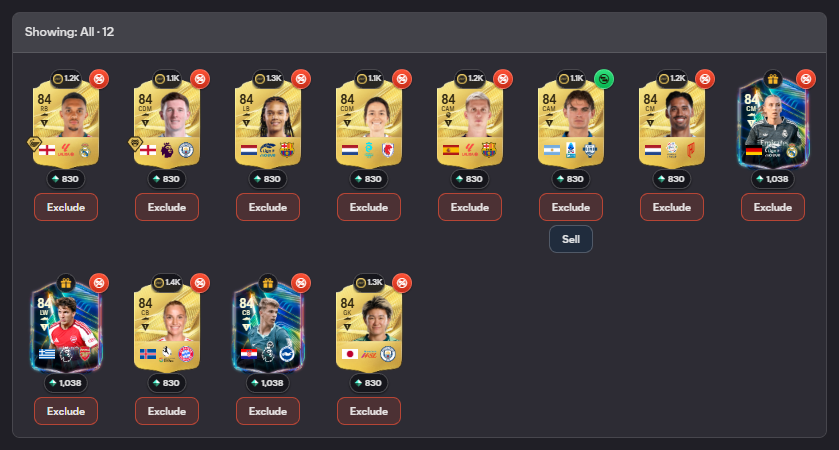
Club sheet and exclusionsFreeYour whole club in one sheet, with the cards you never want spent locked away.
- Open the club sheet
- Filter and find
- Exclude, include or sell
How it works
- Open the club sheet Tap the Club or Storage count on the club bar. The overview shows your club, storage, tradeable and excluded cards.
- Filter and find Search a player, league, club or nation, or tap a chip for tradeable, untradeable, storage, excluded or one card type. Each group shows its players and what they could sell for.
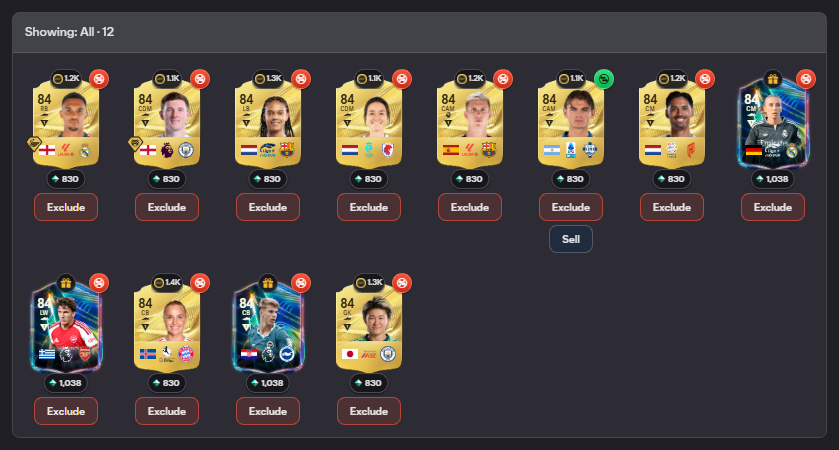
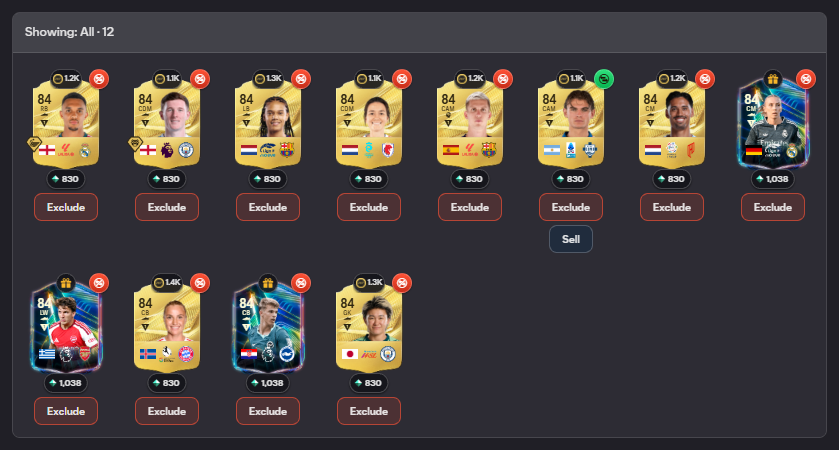
- Exclude, include or sell Exclude keeps a card out of every solve. An excluded card shows a green Include to bring it back.
Free and Premium
- Card types view, search, filters and sell values Free
- Lock up to 10 cards with Exclude, and Clear exclusions to put them all back Free
- Leagues and Ratings views, exclude a whole league, no exclusion limit Premium
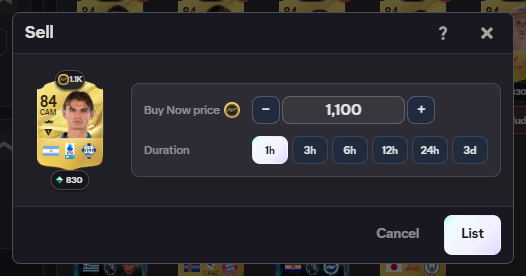
- Sell one card from its row: set your price and how long it lists Premium
Good to know
- Exclusions apply to single, batch, set and repeat solves.
- If your exclusions make a challenge impossible, the message says so and names what is excluded.
Sell one cardPremiumList a card from your club at its price without leaving the window.
Gallery
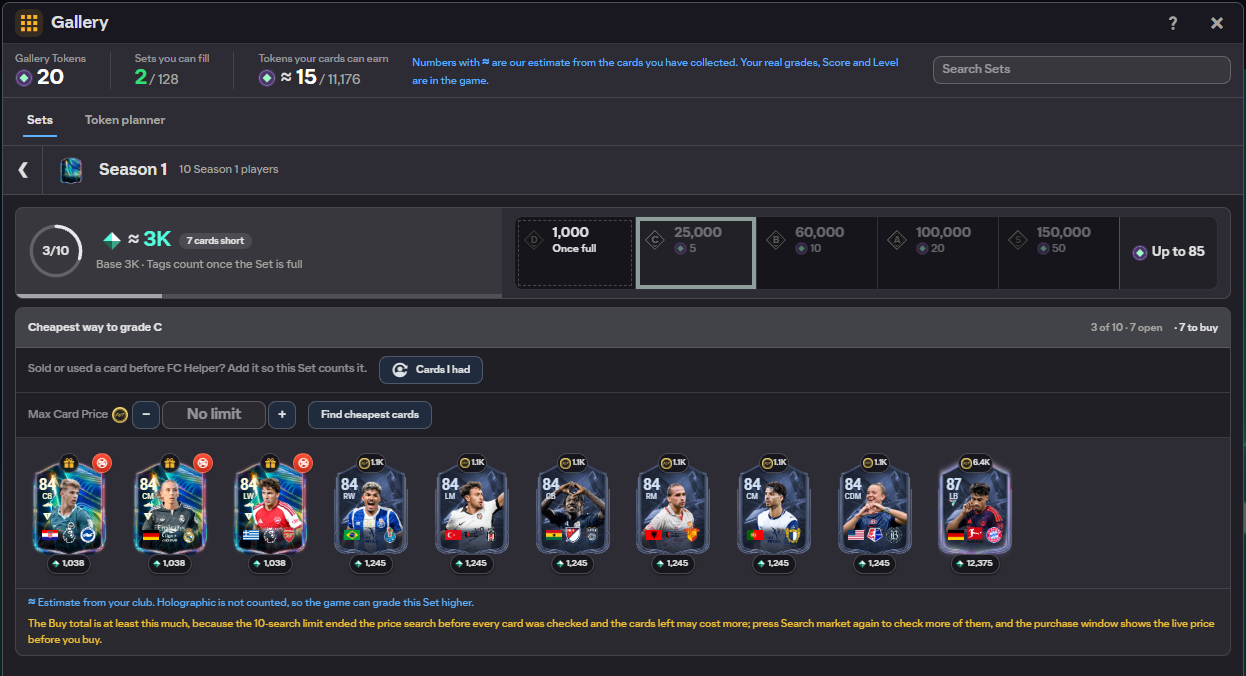
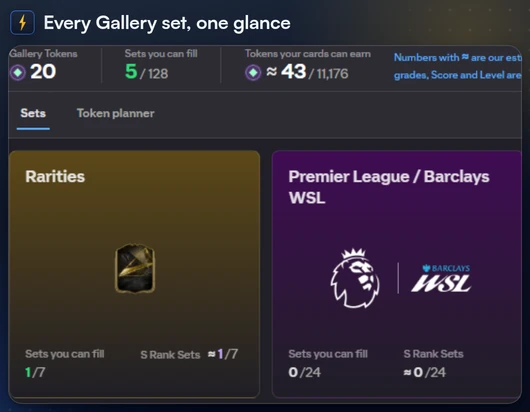
GalleryFreePremiumA Gallery solver: see which cards of each set you own, count the ones you had, and plan the cheapest way to finish one.
From a set to a plan in four steps
-
Pick a Set
Open the Gallery and choose a set. Every card in it shows whether it is in your club.
Free -
See your grade and rewards
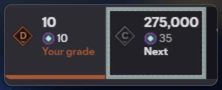
The set page shows your grade and what each grade pays.
Free -
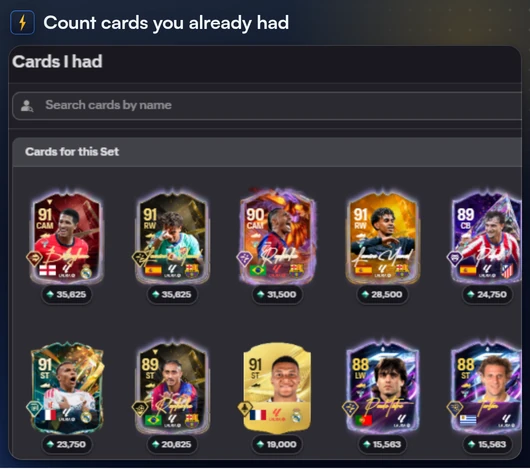
Add the Cards I had
Sold or used a card before FC Helper? Add it under Cards I had so the set counts it. Cards you sell or use in an SBC are remembered for you.
Free -
Plan the cheapest finish
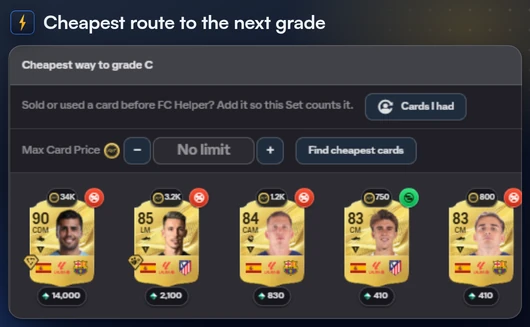
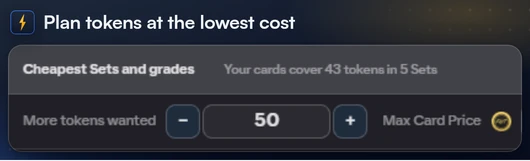
The Token planner picks which sets earn the most tokens. Find cheapest cards finds the cards to reach a grade under your Max Card Price. Nothing is bought until you press Buy.
Premium
- D
- C
- B
- A
- S
Packs and selling
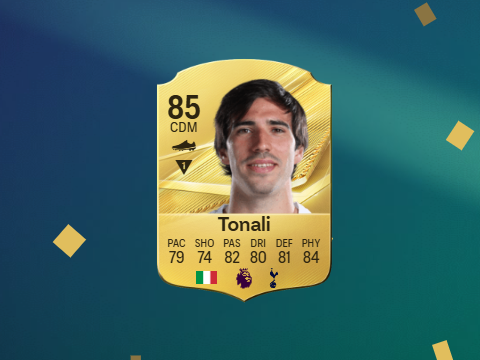
Open All PacksPremiumOpen a stack of packs with no reveals, and your Auto actions send every card where you chose.
- Open My Packs
- Pick packs and counts
- Open and read the results
How it works
- Open My Packs Press Open all N packs on the Auto actions card to pick packs, or a pack's own Open all N to open every copy of it.
- Pick packs and counts Show tradeable, untradeable or all packs, then choose how many of each to open.
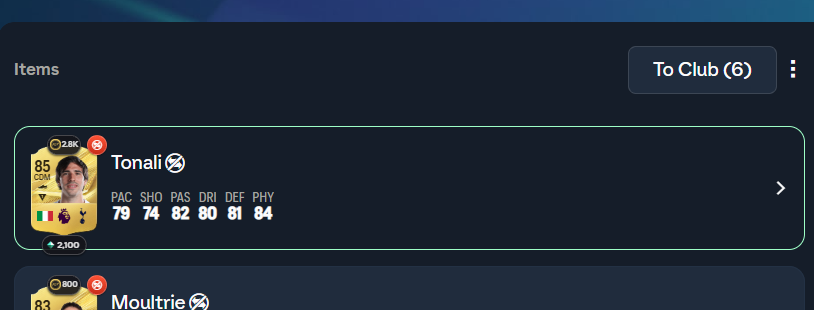
- Open and read the results Packs open with no reveals, and Stop ends the run. Pack results show where every item went.
Good to know
- Quick open opens one pack at once, without the slow reveal: 50 a day on Free. Free
- It does not change what is in a pack.
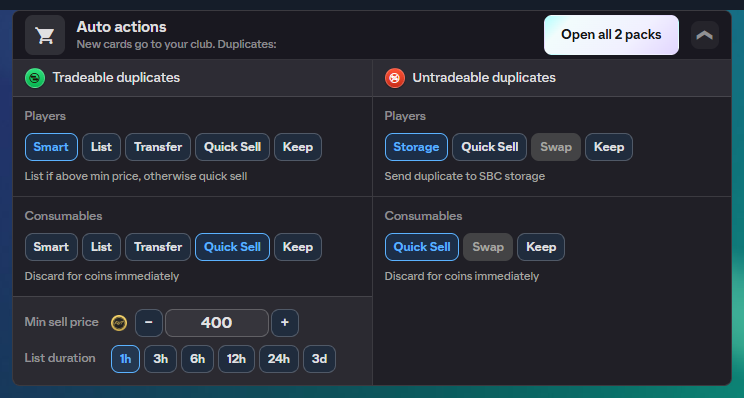
Auto actionsFreeChoose where new cards and duplicates go, and every pack FC Helper opens follows your rules.
- Find the Auto actions card
- Pick a rule for duplicates
- Set a price and a duration
How it works
- Find the Auto actions card Open My Packs. The card holds your rules and the Open all N packs button.
- Pick a rule for duplicates Pick one for tradeable and untradeable, players and consumables apart: Smart, List, Transfer, Quick Sell, Keep, Storage or Swap.
- Set a price and a duration Set a Min sell price and a List duration too.
Good to know
- New cards go to your club.
- The rules run whenever FC Helper opens your packs.
- Smart lists a tradeable duplicate worth more than your Min sell price and quick sells the rest.
Duplicates and UnassignedFreeSpot every card you already own and clear the Unassigned pile in a few presses.
- See the duplicate badge
- Clear Unassigned by section
- Redeem every pick
How it works
- See the duplicate badge Cards you already own carry it in packs, in Unassigned and on the market, so you do not buy a second copy.
- Clear Unassigned by section To SBC Storage, Swap, To Club and List on Market each act on a whole section in one press.
- Redeem every pick Redeem All opens all your player picks and keeps the best card each time. Premium
Good to know
- Swap puts your untradeable duplicates in the club in place of the tradeable copies.
- Item picks show a price on each choice before you pick.
- Quick List lists one card at its card price, the same one its badge shows. Premium
- A duplicate is the same card version. A Team of the Week card and the base card of one player are not duplicates of each other.
- Cards in SBC storage count as owned.
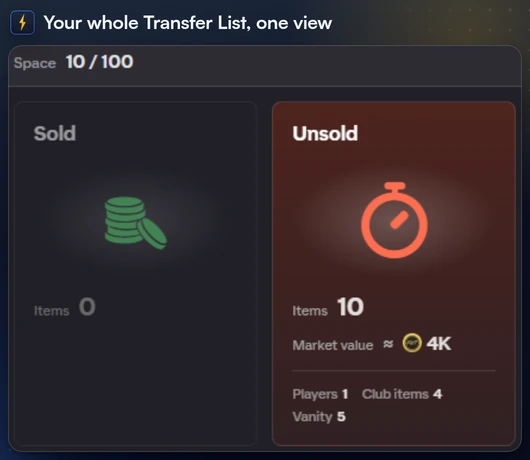
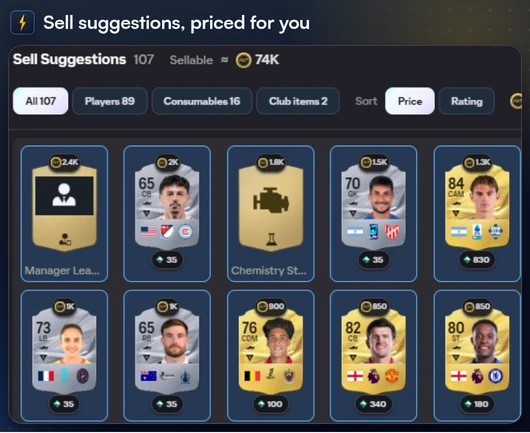
Transfer List windowFreePremiumOne window for everything you sell, free to open. Listing tools and Sell Suggestions are Premium.
- Open it from the club bar
- Pick a state and the cards
- List, quick sell or clear
How it works
- Open it from the club bar On Home, press the transfer list count on FC Helper's club bar. The number is what sold or expired.
- Pick a state and the cards Sold, Unsold, Available and Listed each open their own cards. Filter by players, consumables or other items.
- List, quick sell or clear List at market price or Re-list the cards you picked, quick sell them, or send them To Club. Clear sold removes what sold.
Free and Premium
- Open the window, see every state, Clear sold Free
- List at market price, Re-list, Quick sell and To Club Premium
- Sell Suggestions: your tradeable club cards, dearest first, sorted by price or rating above a minimum price, ready to list Premium
- Alt+R re-lists all and Alt+Q quick sells all Premium
Good to know
- Quick sell pays its coins at once, so it confirms first. EA's Quick Sell Recovery can bring back a limited number of quick-sold items.
- To Club leaves duplicates where they are.
- A card that did not sell often does more good as SBC fodder than as coins.
Prices and badges
Badges on every cardFreePrice, duplicate, tradeable and score badges on the cards you look at.
- Nothing to switch on
- Read the badges
- Check a squad before you commit
How it works
- Nothing to switch on Badges appear on cards across the web app once FC Helper has loaded.
- Read the badges Each card shows what it is worth and what it is, in packs, in your club and on the market.
- Check a squad before you commit On an SBC pitch every card shows its price, and Out of position marks a player outside their position.
Every badge
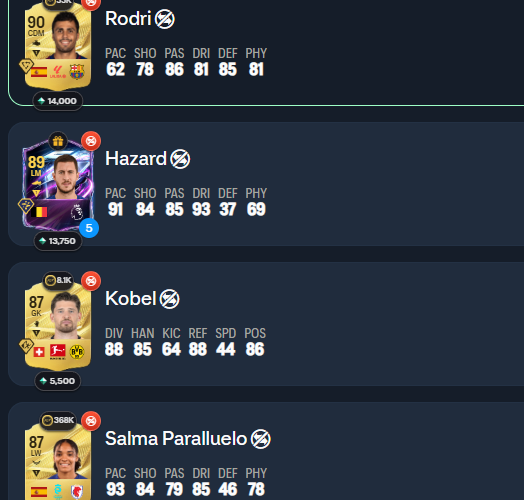
- Price: the latest card price, updated every hour.
- Duplicate and Owned: cards you already have, on market listings too.
- Tradeable or Untradeable.
- Excluded: kept out of every solve.
- SBC Reward: an untradeable card you earned from an SBC.
- Score: what the card counts for in a score-based SBC.
- Out of position: a player in the wrong slot.
Good to know
- A card without a price yet shows the game's maximum selling price instead.
- Untradeable cards show no price: they cannot be sold.
Free, or Premium for the heavy lifting
Free
- 50 solves and 50 pack opens a day
- Price and duplicate badges on every card
- Gallery and the Transfer List window
- Lock up to 10 cards
Premium
- Unlimited solves, Batch, Set and Repeat
- Gallery planner and Find cheapest cards
- Open all packs, Redeem All and Transfer List tools
- Exclude as many cards as you like
$2.99/month or $29.99/year, tax included, with a 7-day free trial. Cancel anytime from the extension.
Before you run one. A single solve leaves Submit to you. Batch, Set and Repeat submit the squads they fill, so set your filters first.
Guides
FUT Gallery First Owner Bonus: What Counts in FC 27
What counts as First Owner in the FUT Gallery, why market buys and loans don't, and how FC Helper's Cards I had counts the cards you sold or used.
FC 27 Gallery: How to Get Tokens and Finish Sets Cheaply
How FUT Gallery Sets, grades and Gallery Tokens work in FC 27, what counts toward a Set, and the cheapest way to finish Sets from cards you own.
FC 27 Gallery Level 10: Points Needed and the Cheapest Way
How many points FUT Gallery Level 10 needs in FC 27 (FUT.GG reports 3 million, EA hasn't confirmed), what raises your level and which Sets to push first.
SBC Storage Full or Not Showing in FC 27? What to Do
SBC Storage full or not showing in FC 27? What EA says about the missing tab and the storage limit, and how to use stored cards before you buy fodder.
FC 27 Quick Sell Recovery and What Fodder to Keep or Sell
How to undo a quick sell with Quick Sell Recovery in FC 27, and which cards to keep, put in SBC Storage, list or quick sell after every pack.
How to Make Coins in FC 27 on the Web App (No Trading Needed)
How to make coins on the FC 27 Web App without trading: what to sell first, how to price it, when to relist or quick sell, and which cards to keep.
Frequently Asked Questions
How do I auto complete an SBC?
Open the SBC, press Auto Complete at the top left of the pitch, then Find Squad. The cheapest valid squad from your club fills the pitch, and you press Submit yourself.
Does the solver submit the challenge for me?
Not on a single solve: Find Squad fills the pitch and stops. Repeat, Batch Daily SBCs and Solve All do submit every squad they fill, so set your card filters first, or press Preview on a Repeat or Solve All run.
How many SBCs can I solve for free?
50 a day, counted only when a squad is submitted, reset at midnight UTC. Premium removes the cap and adds Repeat, Batch Daily SBCs and Solve All.
Does batch solving run while I am away?
No. You stay on the screen and watch it work, and you can stop the run at any point.
Where do the prices come from?
FC Helper's latest card prices, updated every hour. A card without a price yet shows the game's maximum selling price instead.