Open All Packs
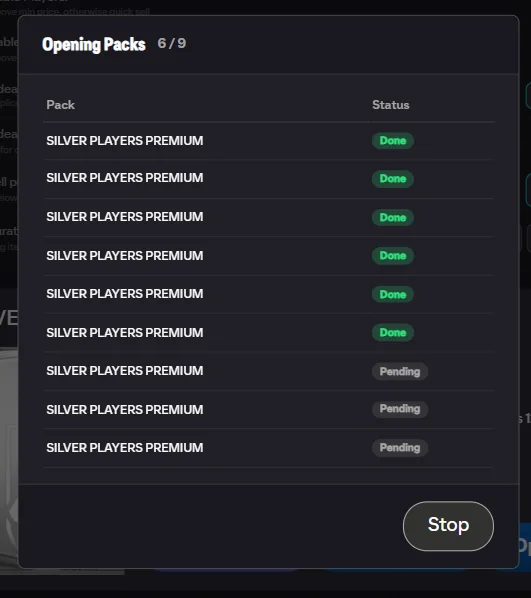
Reward packs pile up fast — rivals, champs, SBCs, objectives. Open All opens an entire stack of same-type packs in one go, skipping the animations, showing the market value of every pull, and routing each item where you told it to go.
Why a backlog builds up
Rewards arrive faster than anyone opens them. A week of Rivals, a Champs finish, a few objectives and a handful of challenge rewards, and there are forty packs waiting. Opening them properly means sitting through forty animations and making forty decisions about where each card goes, so most people put it off — and the backlog becomes a reason not to start.
The cost of leaving it is real. Cards you already own are sitting in unopened packs while you buy fodder on the market for a challenge those cards would have covered.
What a run does
Stacked packs of the same type get an Open All button showing how many are in the stack. Start it and the packs open in sequence with no animations, each card's market value shown as it lands, and every item sent to the destination you chose beforehand.
Different pack types stay separate. A promo pack you are saving does not get swept into a run of bronze rewards, because it is a different stack with its own button.
Deciding where cards go before you start
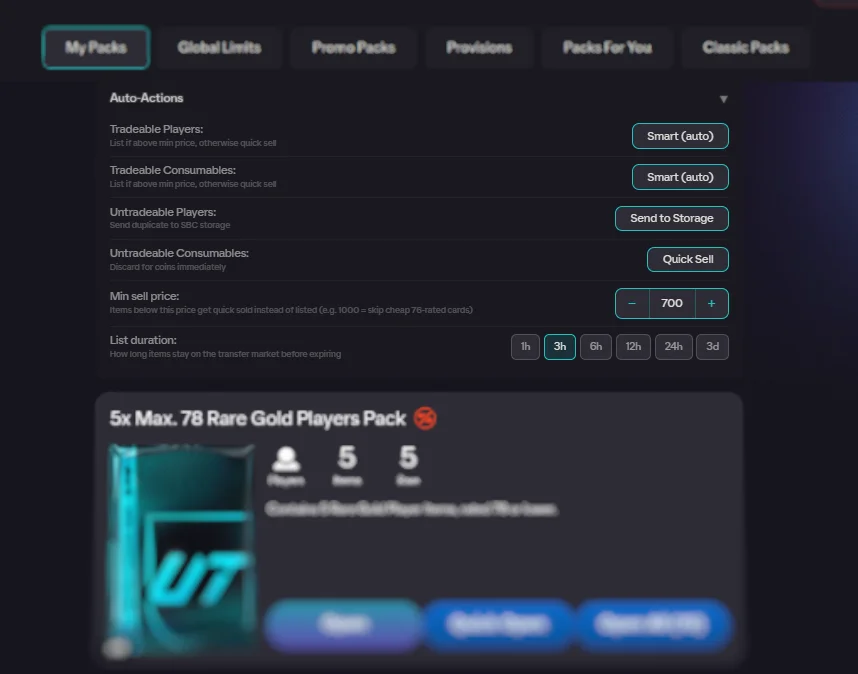
This is the part worth thinking about for a minute, because it is what turns a pile of packs into a sorted club. New cards and duplicates get their own destinations, and each can go to:
- The club, if you want to decide later. The safe default.
- SBC storage, if the cards are fodder and you want them ready for challenges.
- The transfer list at market price, if you would rather have coins.
- Quicksell, for cards not worth the listing slot.
Handling duplicates separately is the point of the split. Most people want new cards kept and duplicates turned into fodder, and setting that once means a forty-pack backlog sorts itself.
When storage fills mid-run
It happens, especially on a long run, and it is handled rather than becoming a failure. You are told what filled up and where the remaining items went. Nothing is opened into a void and nothing is lost track of — the summary at the end accounts for everything.
Reading the summary
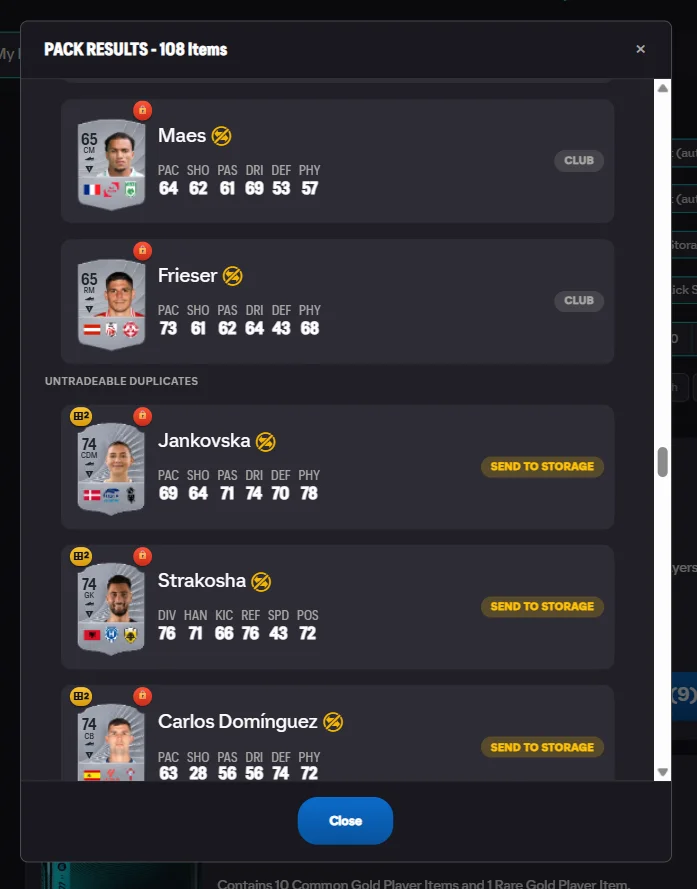
The result screen is more useful than the animations were. It shows how many items went to the club, to storage, were listed or sold, and what the run was worth in total. You find out whether the backlog was worth anything in one screen, rather than half-remembering a stream of cards.
What it does not do
It does not change what is in the packs. Pack contents are decided by the game, and opening thirty packs quickly gives you exactly what opening them slowly would have. Nothing here improves your odds, and any tool claiming otherwise is not telling you the truth.
It also does not open packs you have not earned or bought, does not touch packs of a different type to the stack you started, and does not make decisions you did not configure. If you have not set a destination, cards go to the club and wait for you.
Using it, step by step
- Open My Packs. Stacked same-type packs show an Open All (N) button.
- Set auto-actions. Choose the destination for new cards and duplicates before the run.
- Read the summary. Every pack opens in sequence; the final modal shows the full item breakdown.
Frequently Asked Questions
Does it open every pack I own at once?
It opens one stack of same-type packs per run. If you have thirty of the same reward pack, that is one run. Different pack types are separate stacks, so a valuable promo pack is never swept up with a pile of bronze rewards.
Will it quicksell something I wanted?
Only if you told it to. Destinations are set before the run, separately for new cards and duplicates, and quicksell is a choice among club, SBC storage and the transfer list. If you are not sure, send everything to the club and sort it afterwards.
What happens if my club or storage fills up mid-run?
The run handles it rather than failing. You are told what happened and where the remaining items went, so you never end up with packs opened and cards lost track of.
Can I see what I actually pulled?
Yes. The result screen breaks down the whole run — how many items went to the club, to storage, were listed or sold, and what each was worth. It is usually more informative than watching the animations, because you see the totals rather than one card at a time.
Is this faster than opening packs normally?
Substantially, because the animation is the slow part. A stack that takes several minutes to click through opens in a fraction of that, and you get a summary at the end instead of trying to remember what you saw.
See also: pack-opening guide, duplicate detection, and transfer list tools. Every feature is listed on the features overview.
Try FC Helper Free