Bulk Transfer List Tools
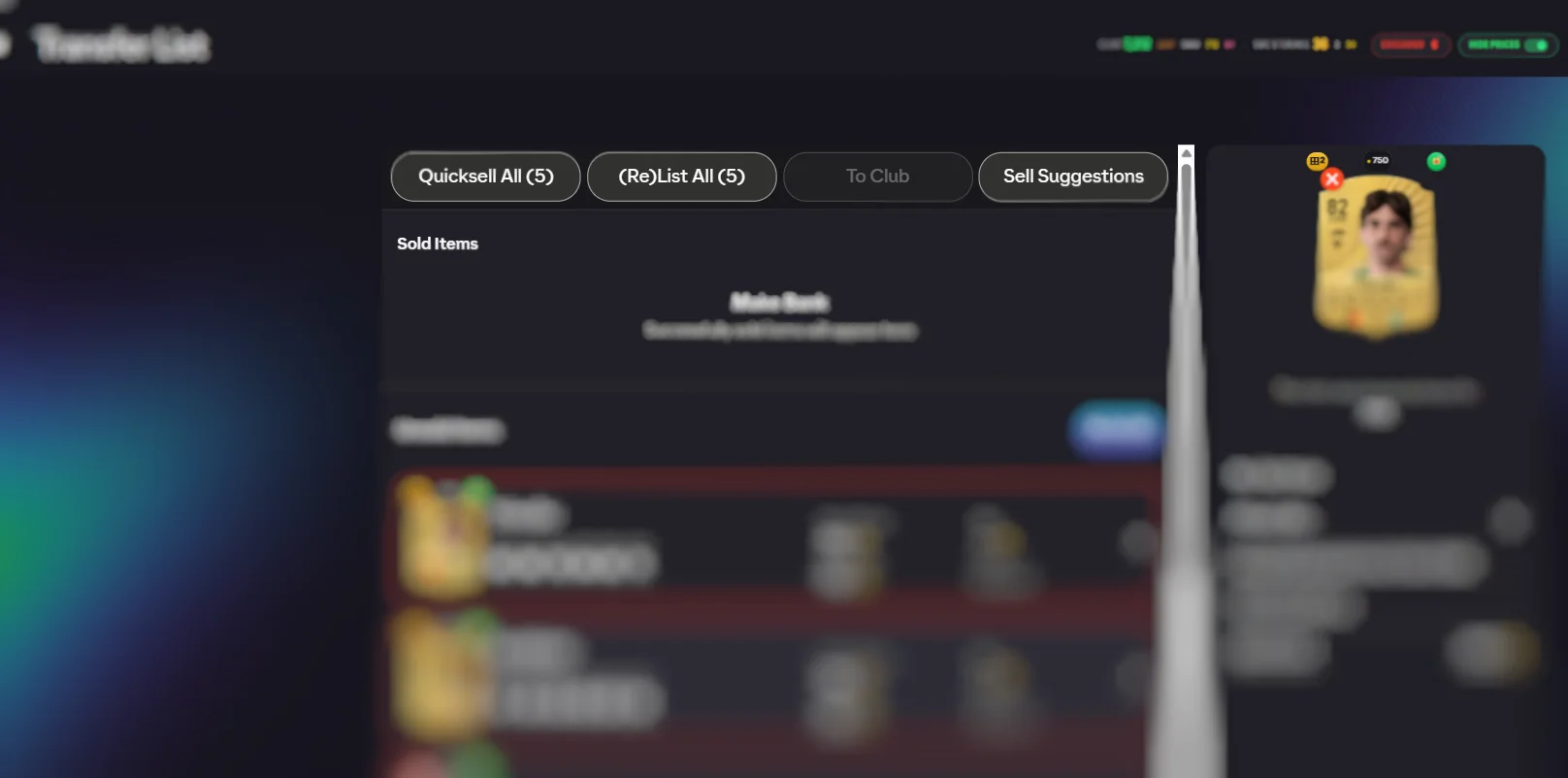
The transfer list is the most click-heavy screen in the Web App. FC Helper adds bulk actions across the top: relist everything, quicksell the unsold, send items back to the club, and list any card at its live market price in one tap.
Why this screen is such a chore
Selling in Ultimate Team is not difficult, it is repetitive. Listings expire in batches, so you come back to thirty unsold cards that all need the same treatment, one at a time. Nothing about the work is interesting and all of it has to be done, which is why most people stop bothering and let cards sit unsold.
The cost of not bothering is invisible but real: cards that would have sold at a fair price sit expired, and coins you could have had never arrive.
The bulk actions
- Relist all — puts every expired listing back up at the price it had. This is the one you will use most.
- Quicksell unsold — clears out genuine junk in one action.
- Send to club — pulls unsold cards back, usually because you have decided to spend them on a challenge instead.
Every one of them confirms first, with a count of how many items it will affect. Quicksell especially, because it cannot be undone.
Quick List, and the mistake it prevents
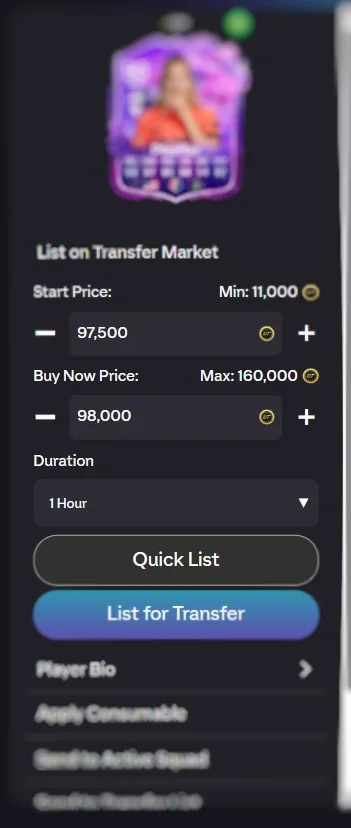
Pricing a card by hand means guessing. Most people guess low — they undercut by a few thousand to be sure it sells, and across a season that caution costs more than the occasional unsold card would have.
Quick List removes the guess. It finds the cheapest current listing for that exact card version and fills your price in at it, so you are matching the market rather than fleeing from it. One tap, correct price, listed.
Knowing what is worth listing at all
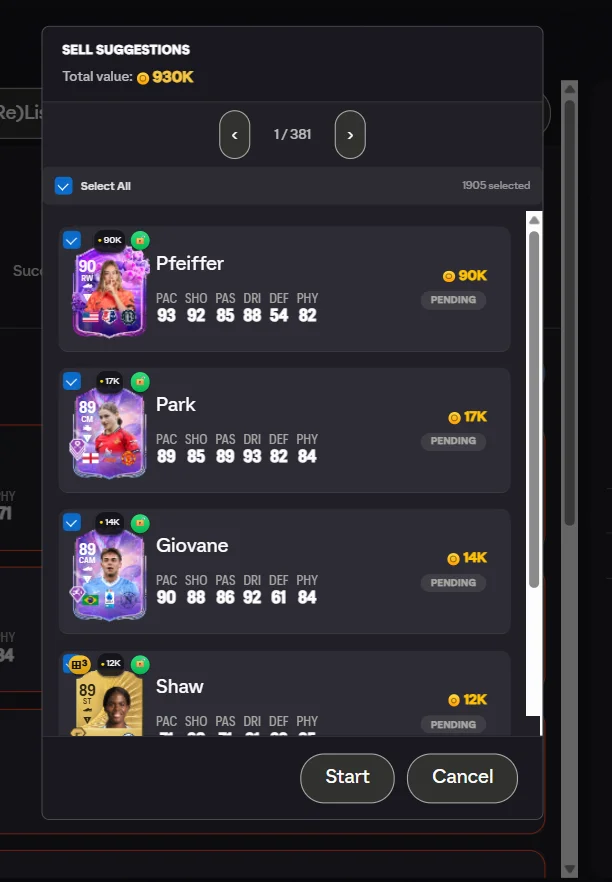
Sell suggestions surface the club cards actually worth putting up. Most of a club is not worth a listing slot — the coins are trivial and the card is more useful as fodder — and the handful that are worth selling are easy to miss among hundreds that are not.
This is the judgement the screen normally leaves entirely to you, and it is the one most people get wrong in both directions: listing junk that will not sell, while leaving something valuable sitting in the club.
Sell or spend
Worth saying plainly, because the bulk quicksell button makes it easy to do the wrong thing quickly: a card that did not sell is often better spent on a Squad Building Challenge than quicksold. Quicksell values are low by design. The same card put into a challenge moves you toward a pack or a player.
Use the bulk quicksell for things nobody would ever buy. For everything else, Send to Club and let it become fodder.
What the bulk actions will not do
They will not price cards for you beyond matching the current cheapest listing, will not buy anything, and will not run while you are away from the screen. Every action is one you press, with a count shown first.
They also will not recover a quicksold card. That action is final in the game itself, which is why the confirmation exists and why the sensible default for anything uncertain is Send to Club rather than Quicksell All.
Using it, step by step
- Open the Transfer List. Bulk action buttons appear in the header.
- Pick an action. Relist All, Quicksell All unsold, Send to Club — each confirms with a count first.
- Quick List anything. On any card, Quick List shows the live cheapest price and lists at it instantly.
Frequently Asked Questions
What price does Quick List use?
The cheapest current listing for that exact card version. It fills the price in for you, so you are matching the market rather than guessing at it or undercutting yourself by thousands out of caution.
Will a bulk action run without warning me?
No. Every bulk action confirms first and tells you how many items it will affect. Quicksell in particular is irreversible, so it always shows a count before anything happens.
Does relisting cost anything?
Relisting expired items is free — it simply puts them back up. What it costs is time, which is the entire reason to do it in bulk.
Can I get cards back off the transfer list?
Yes. Send to Club moves unsold items back in bulk, which is the usual move when you have decided to spend them on a challenge instead of selling them.
Should I quicksell unsold cards?
Often not. A card that did not sell is frequently better spent as challenge fodder than converted to a small quicksell value. The bulk quicksell is there for genuine junk, not as a default.
See also: live price indicators, Web App tips, and duplicate detection. Every feature is listed on the features overview.
Try FC Helper Free