One-Click SBC Solver
Open any Squad Building Challenge, press one button, and a complete valid squad lands on the pitch — chemistry, rating, rarity, leagues and nations all satisfied, using the cheapest eligible cards you own. That's the core of FC Helper, and it's free for 50 solves a day.
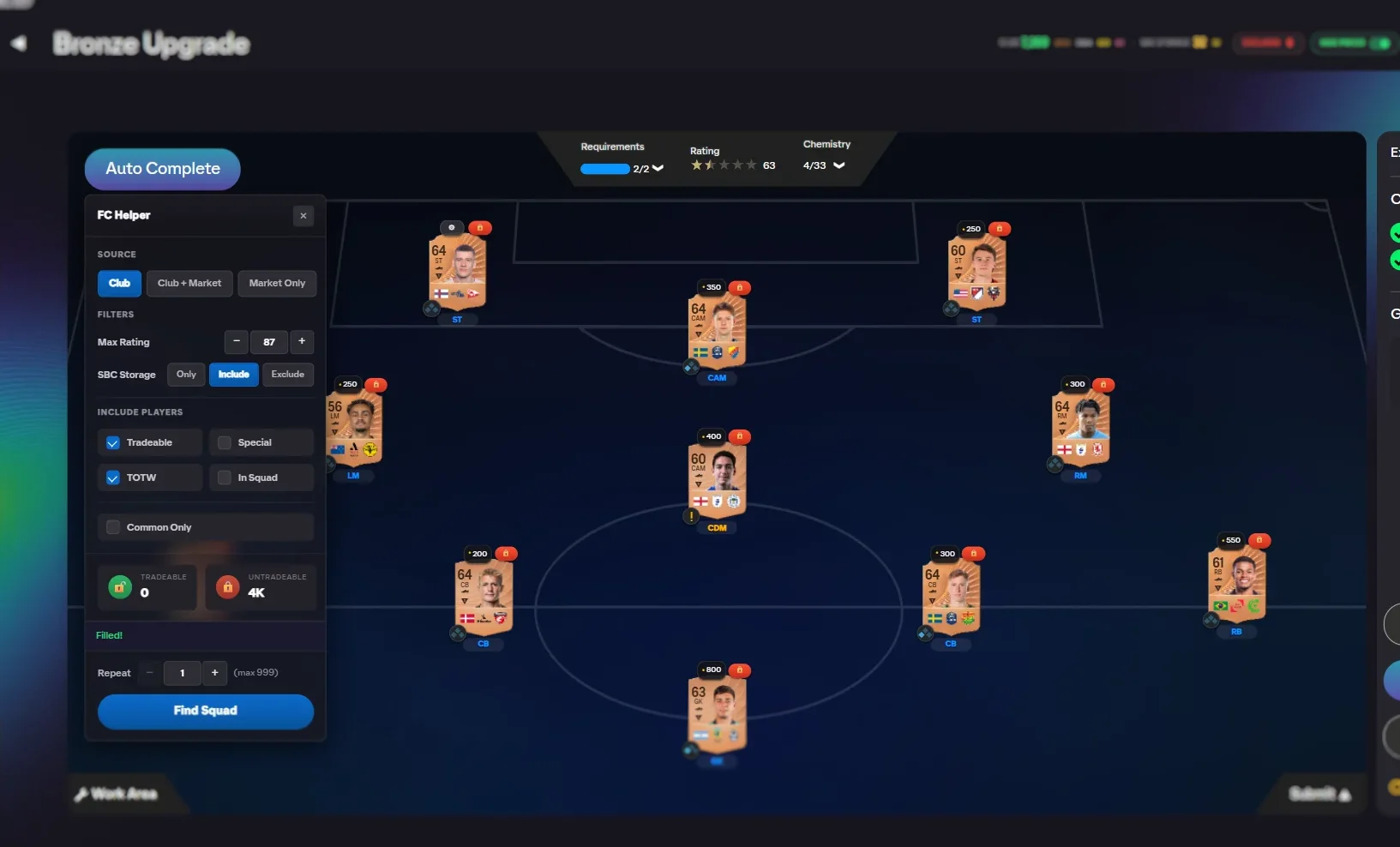
What one click actually does
A Find Squad button appears on the pitch view of any challenge. Pressing it fills every empty slot and stops there. You get a finished squad you can look over, with each card's market value shown next to it, so you can see what the challenge is about to cost you before you commit to anything.
What it does not do is press Submit. The squad sits on the pitch exactly as it would if you had dragged the players in yourself. Nothing leaves your club until you decide it should. If the squad uses a card you would rather keep, exclude that player and solve again.
When it saves you the most
The value is not really the click. It is the challenges where the requirements fight each other — an 84 rating floor, a minimum chemistry, six players from one league and at least one rare card, all at once. Those are the ones where filling by hand means dragging cards in and out watching one requirement go green as another goes red.
It is most worth using on daily challenges you repeat every day, on long sets where the same fodder decisions come up over and over, and on promo weeks when there are more challenges than time. It is least worth using on a two-slot challenge you could finish in twenty seconds.
What it will not do
Being clear about the limits, because no tool changes them:
- It cannot give you players you do not own. If a challenge needs an 88 rated squad and your best card is 84, you will be told to buy fodder — the same conclusion you would reach yourself, reached faster.
- It cannot make a challenge cheaper than the cards available to fill it. It can only pick the cheapest valid combination that exists.
- It cannot earn you coins. It spends the cards you already have.
- It does not touch slots you have already filled yourself. Locked and pre-filled positions are left exactly as they are.
Choosing where the players come from
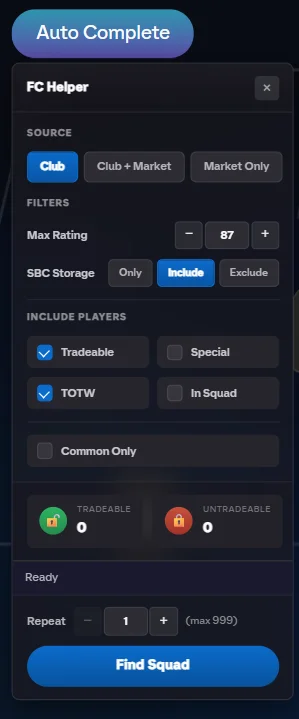
Before solving you pick the source. Club uses only what you own, which is the right default and costs nothing. Club and Market fills what it can from your club and proposes purchases for the rest, with live prices, so you can weigh the reward against the spend. Market ignores your club entirely, which is useful when you are deliberately keeping your own fodder for something else.
Your SBC storage, duplicates and unassigned pile are all treated as part of your club, so cards sitting in those places get used instead of being forgotten about.
Keeping your best cards out of it
Three controls, all of them yours:
- Maximum rating. Cap what the solver may reach for. A challenge asking for 84 rated should not be spending your 89.
- Card type toggles. Special, TOTW and evolved cards are off by default and stay off unless you switch them on. An evolved card you spent weeks upgrading is never pulled in quietly.
- Excluded players. Name specific cards you never want used, and they stay untouched no matter what any challenge asks for.
Untradeable cards are preferred over tradeable ones wherever both would work, because an untradeable card cannot be sold anyway. Spending it costs you nothing you could have banked.
Using it, step by step
- Open any SBC challenge. Navigate to an SBC in the EA FC Web App — a Find Squad button appears on the pitch view.
- Configure the solve. Pick the source, the maximum rating, your storage preference and the card filters.
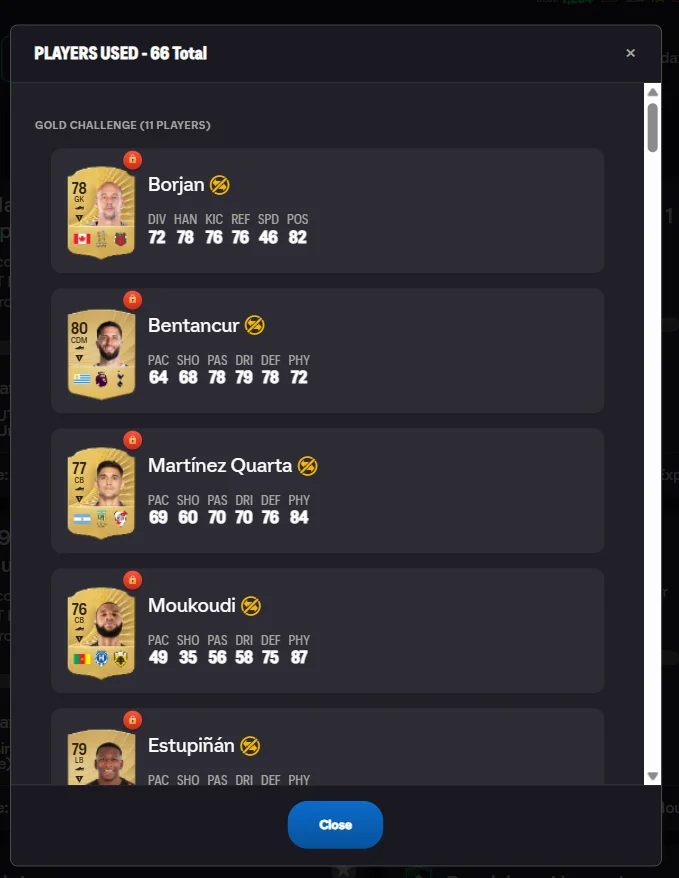
- Review the squad. Every slot fills with eligible cards and their prices. Check what it chose.
- Submit it yourself. If you are happy, press EA's Submit button. If not, exclude a player and solve again.
If your club cannot cover the challenge
You are told plainly, rather than handed a squad with holes in it. Where the market is allowed as a source, the missing cards are proposed at the cheapest current prices, so the decision in front of you is a straightforward one: this challenge costs roughly this many coins, and the reward is worth it or it is not.
This is also the moment most people discover the challenge was never worth doing — which is a useful thing to learn in a couple of seconds rather than after twenty minutes of searching the market.
Frequently Asked Questions
Does the solver submit the challenge for me?
No. It fills the pitch and then stops. Nothing is submitted, and nothing leaves your club, until you press EA's own Submit button yourself. If you do not like the squad you can clear it or solve again.
Will it use my good players?
Not unless you tell it to. Special, TOTW and evolved cards are excluded by default, and there is a maximum rating cap so a challenge asking for 84 rated does not reach for your 89. You can also exclude specific players outright.
What if my club cannot complete the challenge?
You are told so directly, rather than being given a broken squad. If you have allowed the market as a source, the cheapest missing cards are proposed with live prices so you can decide whether the reward is worth the spend.
How many SBCs can I solve for free?
Fifty a day, which covers the daily challenges and most of a set. Premium removes the cap and adds batch solving of whole sets.
Does it work on untradeable players?
Yes, and it prefers them. Untradeable cards cannot be sold, so spending them on a challenge costs you nothing you could have banked. Your sellable cards stay sellable.
See also: step-by-step tutorial, excluding players, batch solving, and how to build the cheapest 84-rated squad. Every feature is listed on the features overview.
Try FC Helper Free