When the FC 27 Web App is not working, the cause is usually one of five things: an EA outage, the wrong EA Account, an Ultimate Team session still open on your console or PC, access your account has not earned yet, or a browser extension in the way. Check them in that order; each takes about a minute.
This guide covers EA SPORTS FC 27 and was checked against EA's own help pages on 31 October 2026. EA updates those pages; when what you see differs from this guide, EA's page wins. EA has no single Web App troubleshooting page that we found, so each step names the EA page it comes from, and anything beyond EA's words is marked as our reading.
1. Check whether EA is down
EA lists known outages on its Online Service Updates page, linked at the foot of every EA Help page. If an outage is listed, nothing on your side will fix it; try again later.
2. Sign in with the EA Account you play FC 27 with
EA's help page for the FC 27 apps gives the test for being in:
“Log in with the EA Account you use to play FC 27. You'll know you're logged in when you see your Ultimate Team™ Club and Squad load in the app.”
If you are not sure which account that is, EA has steps to find your EA Account email address. EA also warns that if the platform account you play FC on is still set as active in the Web and Companion Apps when you unlink it, you lose access to the apps.
3. Is it “Signed Into Another Device”?
If the app says you cannot use it while signed in to Ultimate Team on your console or PC, an Ultimate Team session is still open there. Back out of Ultimate Team to the main FC menu on that device, then try again. The full steps are in our guide to the “Signed Into Another Device” message.
4. “Login Unavailable” on the Web App
The message reads: “Login Unavailable. We're currently having trouble with login services. While we work on it, you can try to log in from your Console or PC to get the full Football Ultimate Team experience.” We found it in a thread on EA’s forum where a player had it for about a week while FC 27 ran normally in game, and his other EA Accounts got in. EA Help has no article on it, and the thread had no answer from EA when we read it on 31 October 2026.
What to do: check step 1, try again later, and meanwhile play Ultimate Team on your console or PC, as the message itself suggests. If it stays on one account, contact EA support, linked at the foot of every EA Help page.
5. Check that your account has access
EA gave early Web App access to returning players who had logged in to Ultimate Team and created a Club in FC 26, FC 25 or FC 24 on their platform before 1 August 2026, with an account in good standing. After 7 November 2026, 11:59:50 PM UTC, you also need to log in to Ultimate Team in FC 27 on your PC or console at least once to keep using the apps. A locked Transfer Market inside a Web App that loads is a different problem: see Web App Transfer Market locked.
6. Codes that never arrive, and expired sign-ins
EA's two-factor page says that if codes do not reach your email you should resend the code, then check that your inbox is not full, look in spam, make sure you or your provider have not blocked EA, and make sure you are signed in to the right EA Account, because the code goes to that account's email. EA's sign-in help adds that if your login credentials have expired, resetting your password helps in most cases, and if it does not, to wait 90 minutes and try again.
7. Rule out your browser and extensions
Our suggestion, not an EA rule: open a private window with extensions off and sign in. If the Web App loads there, turn your extensions back on one at a time to find the one in the way, FC Helper included. Clearing the site's data or trying another browser rules out a stale sign-in.
Once the Web App loads: Auto Complete in FC Helper
FC Helper is an independent browser extension for the EA FC Web App, not made or approved by EA. It starts only after the Web App has loaded, so it cannot fix a login. When you are in, this is the whole job:
- Open an SBC and wait until the button at the top left of the pitch stops reading “Loading your club…”.
- Press Auto Complete, keep Source on Club and press Find Squad.
- Check the squad that lands on the pitch, then press Submit yourself. A single solve never submits.
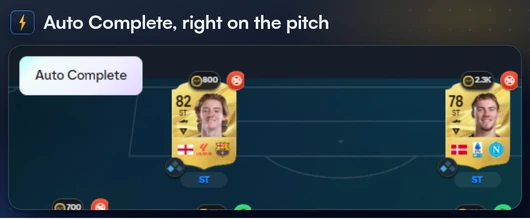
See Solve SBCs on the Features page for every step, and how to auto complete SBCs in FC 27 for the dailies.
FAQ
Frequently Asked Questions
Why is the FC 27 Web App not working?
Usually one of five things: an EA outage listed on Online Service Updates, the wrong EA Account, an Ultimate Team session still open on your console or PC, access your account has not earned yet, or a browser extension in the way. Work through them in that order.
Why does the FC 27 Web App say Login Unavailable?
The message says EA is having trouble with login services and suggests logging in from your console or PC. EA Help has no article on it, and players on EA's forum report it lasting days on one account. Check Online Service Updates, try again later and contact EA support if it stays.
Can I use the FC 27 Web App while I'm logged in to Ultimate Team on my console?
No. The app's own message says you cannot use the Companion App or Web App while signed in to Ultimate Team on your console or PC. Back out to the main FC menu first, then sign in to the Web App.
Do I need to log in to FC 27 on my console or PC before using the Web App?
Early access went to returning players who had created an Ultimate Team Club in FC 26, FC 25 or FC 24 on their platform before 1 August 2026, with an account in good standing. After 7 November 2026, 11:59:50 PM UTC, you need to log in to Ultimate Team in FC 27 on a PC or console at least once to keep using the apps.
How do I know I am logged in to the right account on the FC 27 Web App?
EA says you are logged in when your Ultimate Team Club and Squad load in the app. Use the EA Account you play FC 27 with.