“Signed Into Another Device” on the FC 27 Web App means an Ultimate Team session is still open on your console or PC, so the app will not let you in. To fix it, back out of Ultimate Team to the main FC menu on that console or PC, then sign in to the Web App again. Switching the console off does not close the session.
This guide covers EA SPORTS FC 27 and was checked against EA's own help pages on 31 October 2026. EA updates those pages; when what you see differs from this guide, EA's page wins. EA Help has no article on this message that we found, so the text below is the message itself as a player pasted it on EA's forum. Steps beyond what it says are marked as our reading.
What the message says
A player posted the message on EA's FC 27 forum. It covers the Companion App and the Web App:
“Signed Into Another Device. Sorry, you cannot use the FC Companion App or Web App while signed into Football Ultimate Team on your Console or PC. Please sign out from your Football Ultimate Team account on your console by backing out of the mode to the main FC Menu, and retry logging into the app. Shutting off your console or PC while logged into Ultimate Team will not log you out of the mode properly.”
Two parts matter. It names Ultimate Team on your console or PC, not your browser. And it says that shutting off the console or PC while logged in to Ultimate Team does not log you out of the mode properly. The player who posted it said they were not in Ultimate Team or on their console at the time, which fits a session left open earlier (our reading).
How to fix it, step by step
- Back out of Ultimate Team. On the console or PC, leave the mode and return to the main FC menu. Do not just switch off or put the console to sleep.
- Check every place you play. Another console, a PC or a second profile may still have Ultimate Team open. Our reading: any of them can hold the session.
- Give it a few minutes. Our reading: a session that was not closed properly may need a little time to clear. EA gives no figure.
- Reload the Web App and sign in again with the EA Account you play FC 27 with. You are in when your Ultimate Team Club and Squad load.
If the message stays after all four steps, contact EA support through the link at the foot of any EA Help page.
Is this new in FC 27?
No. In 2023 an EA community manager wrote in an FC 24 forum thread: “On the web app, if you are in the game, and try to use the app, you will get the following error.” The thread shows the error only as a screenshot, but it points the same way as the message above: the apps and a live Ultimate Team session do not mix.
Could an extension cause it?
The message points at your console or PC session, so an extension is not the first suspect. If backing out does not clear it, try once with extensions off, FC Helper included, as in our Web App not working guide.
Once the Web App loads: Auto Complete in FC Helper
FC Helper is an independent browser extension for the EA FC Web App, not made or approved by EA. It starts only after the Web App has loaded, so it cannot fix a login. When you are in, this is the whole job:
- Open an SBC and wait until the button at the top left of the pitch stops reading “Loading your club…”.
- Press Auto Complete, keep Source on Club and press Find Squad.
- Check the squad that lands on the pitch, then press Submit yourself. A single solve never submits.
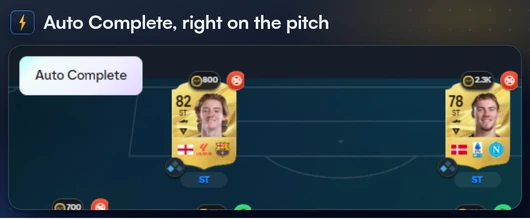
See Solve SBCs on the Features page for every step, and how to auto complete SBCs in FC 27 for the dailies.
FAQ
Frequently Asked Questions
What does “Signed Into Another Device” mean on the FC 27 Web App?
It means the app thinks you are signed in to Ultimate Team on a console or PC. The message says you cannot use the Companion App or Web App while signed in there, and asks you to back out of the mode to the main FC menu.
How do I fix “Signed Into Another Device” in the FC 27 Web App?
Back out of Ultimate Team to the main FC menu on your console or PC, wait a few minutes, then reload the Web App and sign in again. Do not just switch the console off, because the message says that does not log you out of the mode properly.
Does switching off my console log me out of Ultimate Team?
Not properly, according to the message: it says shutting off your console or PC while logged in to Ultimate Team will not log you out of the mode properly.
Can I use the FC 27 Web App while I play Ultimate Team?
No. EA's message says you cannot use the Companion App or Web App while signed in to Ultimate Team on your console or PC. Leave the mode first.